12 Best Study Apps for High School Students (2026 Guide)
Discover the 12 best study apps for high school students. Research-backed tools for spaced repetition, flashcards, planning, and better grades.

High school studying is rarely about intelligence.
It’s usually about method.
Most students work hard. They reread chapters. They highlight aggressively. They rewrite notes in cleaner handwriting. They spend hours “organizing.”
Then they sit down for a test and realize half of it feels unfamiliar.
That disconnect isn’t motivation. It’s strategy.
Decades of cognitive psychology research show that some popular study habits are far less effective than students assume. In their widely cited review of learning techniques, Dunlosky et al. (2013) found that practice testing and distributed practice (spacing) consistently outperform highlighting and rereading for long-term retention (Psychological Science in the Public Interest).
Cepeda et al.’s large-scale meta-analysis on distributed practice reached a similar conclusion: spacing study sessions across time improves retention compared to massed practice (Psychological Bulletin).
And Karpicke & Roediger (2008) demonstrated that repeated retrieval practice dramatically improves long-term learning compared to repeated studying alone (Psychological Science).
So the real question becomes:
Which apps actually make retrieval, spacing, and deliberate practice easier to do consistently?
This guide answers that.
You’ll find:
A ranked shortlist of the best study apps for high school students
Publicly listed pricing (where available)
Clear strengths and weaknesses
Honest tradeoffs
A realistic weekly workflow
Decision guidance based on learning science
No hype. No productivity theater. Just tools that support what actually works.
Quick Ranking: Best Study Apps for High School Students

Rank | App | Best For | Typical Cost | Biggest Tradeoff |
|---|---|---|---|---|
1 | Cramberry | Converting PDFs into flashcards & quizzes | Free + $14.99/mo Pro | AI output needs review |
2 | Google NotebookLM | Source-grounded AI studying | Free | Requires strong source material |
3 | Anki | Serious spaced repetition | Free desktop / $24.99 iOS | Learning curve |
4 | Quizlet | Fast flashcards + varied modes | $9.99+ options | Paywalls |
5 | Notion | Organization hub | Free / $10+ | Easy to overbuild |
6 | OneNote | Digital binder | Free | Can get messy |
7 | Google Calendar | Time blocking | Free | Requires discipline |
8 | Todoist | Assignment tracking | $7/mo Pro | Not school-specific |
9 | Forest | Focus timer | Free + IAP | Timer ≠ learning |
10 | Khan Academy | Free lessons + practice | Free | Not teacher-aligned |
11 | Photomath | Step-by-step math help | Free + $9.99/mo | Easy to misuse |
12 | Grammarly | Writing polish | $30/mo Pro | Can over-edit voice |
Now let’s break this down properly.
How We Evaluated These Study Apps

A study app is only good if it improves one of three outcomes:
Retention
Does it make it easier to:
Test yourself?
Space review sessions?
Revisit weak areas consistently?
If not, it’s probably decorative.
Research clearly supports retrieval practice and spacing as high-utility learning strategies (Dunlosky et al., 2013; Cepeda et al., 2006).
Efficiency
Does it reduce time spent:
Formatting
Rearranging
Rebuilding notes
And increase time spent:
Solving problems
Answering questions
Writing from memory
The goal is to shift effort from preparing to study to actually studying.
Workflow Fit
If it’s too complex, you won’t use it.
If it’s too flexible, you’ll customize instead of practice.
If it doesn’t integrate into daily school life, it won’t stick.
What Actually Improves Learning (Without the Buzzwords)

Let’s simplify what the science says.
Retrieval Practice
Testing yourself is not just evaluation — it is one of the most powerful learning strategies we have evidence for.
Karpicke & Roediger (2008) showed that students who repeatedly retrieved information from memory retained significantly more over time than students who repeatedly studied the same material without testing. In other words, the act of pulling information out of your brain strengthens it.
Why this works:
Retrieval strengthens memory pathways.
It exposes gaps in understanding.
It reduces the illusion of competence (the feeling of “I know this” when you actually don’t).
That means strategies like:
Flashcards
Practice quizzes
Writing summaries from memory
Solving problems without looking at examples
Teaching the concept out loud without notes
All beat passive review strategies like rereading or highlighting.
The key difference is effort.
Recognition feels easy.
Retrieval feels slightly uncomfortable.
That discomfort is what improves retention.
If an app makes it easy to generate questions and test yourself regularly, it aligns directly with how memory consolidation works.
Spaced Repetition
Spacing study sessions across days — instead of cramming everything into one long block — dramatically improves long-term retention.
Cepeda et al. (2006) reviewed hundreds of distributed practice experiments and consistently found that spreading learning over time leads to better performance than massed practice.
Here’s why spacing works:
Each review strengthens memory after partial forgetting.
The brain must reconstruct information repeatedly.
Repeated reconstruction deepens encoding.
Think of it this way:
A 3-hour cram session creates short-term familiarity.
Three 20-minute sessions across a week create durable memory.
Short, repeated exposure beats intensity.
This is why spaced repetition systems (like Anki) are powerful — they automate when you should review material based on your forgetting curve.
Even without an algorithm, simply reviewing:
Today
2–3 days later
One week later
Will outperform cramming the night before.
Apps that remind you to revisit material — or schedule review sessions automatically — support this effect.
Interleaving & Mixed Practice
Interleaving means mixing different types of problems or concepts instead of studying one type in isolation.
Research in math and science learning shows that mixing problem types can improve transfer and long-term understanding compared to blocked practice (where you solve the same type repeatedly).
Why it works:
It forces discrimination between problem types.
It prevents pattern memorization.
It strengthens flexible application.
For example:
Blocked practice:
15 identical quadratic equation problems in a row.
Interleaved practice:
Quadratics
Linear equations
Factoring
Word problems
Mixed together
Interleaving feels harder.
But that difficulty improves learning.
Not every study app explicitly supports interleaving, but tools that:
Shuffle flashcards
Generate mixed quizzes
Combine topics in review sets
Can approximate the effect.
If your study sessions always feel easy, they may not be effective.
Highlighting & Rereading
Highlighting and rereading are popular because they feel productive.
But Dunlosky et al. (2013) classified them as low-utility strategies when used alone.
Why?
They promote familiarity, not recall.
They don’t require mental reconstruction.
They rarely expose gaps in understanding.
Highlighting can be useful as a first pass to identify key ideas.
But if you stop there, you’re not strengthening memory.
The real learning happens when you:
Close the book.
Try to recall the idea.
Explain it without notes.
Answer questions about it.
So if an app only stores notes, organizes folders, or allows highlighting — but never forces you to retrieve information — it likely won’t move the needle on performance.
Organization supports learning.
Retrieval creates learning.
The difference matters.
The Best Study Apps for High School Students (Deep Breakdown)
1. Cramberry

Best for: Turning your real school materials into retrieval tools quickly.
Cramberry is built around a very common high school bottleneck:
Students spend far too much time creating study materials and not enough time using them.
If you’ve ever:
Rewritten your notes neatly
Copied slides into a document
Manually built 60 flashcards before even reviewing them
You’ve felt that friction.
Cramberry focuses on compressing that preparation phase so you can shift into active recall sooner.
It converts:
PDFs
Slides
Class notes
Text excerpts
Into:
Flashcards
Practice tests
Structured study notes
Quiz-style prompts
That alignment matters. Retrieval research shows that the act of testing yourself strengthens memory — but many students avoid testing because building materials feels tedious. By reducing prep time, Cramberry lowers the barrier to entering retrieval mode.
In other words, it doesn’t change the science — it just makes it easier to apply.
Useful tools include:
Flashcards
Study Notes
Practice Tests
PDF to Flashcards
PDF to Quiz
These workflows are particularly helpful when teachers distribute heavy slide decks or textbook PDFs that would otherwise take significant time to manually convert into study prompts.
Strengths
Significantly reduces material creation time
Encourages active recall rather than passive review
Multiple output formats (cards, quizzes, notes)
Designed around student workflows
Helpful for unit-by-unit test preparation
Weaknesses
AI-generated content requires student review and refinement
Quality depends on clarity of input materials
Does not replace deliberate practice or spaced review
Still requires effort to engage with the outputs
Pricing
Free plan available
Pro: $14.99/month
Best for students who live inside PDFs and want to move faster into practice mode without manually rebuilding everything first.
2. Google NotebookLM

Google’s NotebookLM is positioned as a source-grounded AI study tool, meaning it works directly from the documents you upload rather than pulling information from the open web.
According to Google for Education, NotebookLM can generate summaries, flashcards, study guides, and quizzes based strictly on the source materials you provide. That design choice matters.
One of the biggest criticisms of generic AI tools in education is hallucination — confidently producing incorrect or fabricated information. When a system is grounded in your uploaded notes, PDFs, and slides, it significantly reduces that risk. It doesn’t eliminate the need for verification, but it narrows the scope to your actual class content.
That makes it particularly useful for high school students who want help understanding teacher-specific material rather than generic textbook explanations.
Strengths
Flashcard and quiz generation from your own documents
Source-grounded responses tied to uploaded materials
Audio overviews for quick review or reinforcement
Free access with web and mobile support
Helpful for summarizing long readings into structured notes
Weaknesses
“Garbage in, garbage out” — messy uploads produce messy outputs
Requires organized, complete materials to work well
Features evolve as Google updates the product
Not a substitute for actually attempting problems yourself
NotebookLM works best when you build one notebook per unit or class, upload clean PDFs or structured notes, and then generate study sessions from that contained environment. Treat it as a study accelerator — not an answer generator.
3. Anki

It uses an algorithm to show you cards right before you’re predicted to forget them. That timing is the entire point.
Instead of reviewing everything equally, Anki adjusts based on how well you rate each card. Easy cards appear less often. Difficult cards appear more frequently. Over time, that creates an individualized review schedule that mirrors the forgetting curve described in spacing research.
That operationalizes spacing research directly — you don’t have to manually decide when to review something. The system handles it.
Strengths
True spaced repetition driven by algorithmic scheduling
Highly customizable card types (cloze deletions, image occlusion, typed answers, etc.)
Offline support with cross-device sync
Handles massive decks without performance issues
Strong community ecosystem (shared decks, add-ons, templates)
Weaknesses
Noticeable learning curve for beginners
Requires good card design (poor cards = poor retention)
Less polished interface compared to newer apps
Can feel overwhelming if you over-customize
Pricing
Desktop: Free
iOS: $24.99 one-time purchase
Best For
Vocabulary-heavy subjects (foreign languages, APUSH terms, SAT vocab)
Biology, anatomy, and science definitions
Formula memorization
Any content requiring long-term cumulative retention, especially for finals or standardized exams
If you’re willing to tolerate a slightly steeper setup phase, Anki can become one of the most durable long-term retention systems available.
4. Quizlet

Quizlet remains widely used because it’s simple and immediately accessible.
You can create a set in minutes, start reviewing instantly, and switch between different practice modes without much setup. That low barrier to entry is one of its biggest advantages — especially for high school students who may not want to spend time configuring settings or learning an advanced system.
It offers:
Flashcards
Practice tests
Multiple choice
Written responses
Matching and game-style review modes
The ease of use lowers activation energy. When starting feels easy, students are more likely to actually begin reviewing — and starting is often the hardest part.
Quizlet also benefits from its large user base. Many classes already have public decks available, which can be helpful for quick vocabulary prep or definition-heavy units. However, that convenience comes with tradeoffs.
Strengths
Fast setup with minimal learning curve
Large public library of shared decks
Multiple practice modes (not just flashcards)
Cross-device sync (phone, tablet, desktop)
Clean, intuitive interface
Weaknesses
Public decks vary widely in accuracy and alignment
Feature paywalls limit access to certain modes
Less sophisticated spacing compared to dedicated SRS tools
Easy to rely on recognition instead of true recall if not careful
Quizlet works especially well for quick test prep, vocabulary review, and subjects that benefit from varied practice formats. But like any tool built around flashcards, its effectiveness ultimately depends on consistent use and the quality of the questions you’re reviewing.
5. Notion

Notion functions as a central school hub — a place where everything related to your academic life can live in one organized workspace.
Instead of juggling multiple folders, random Google Docs, and scattered notes, Notion allows you to build a unified dashboard for all your classes. According to Notion’s pricing page, it offers a Free plan and a Plus plan ($10/month), and eligible students can access education benefits that unlock additional features.
What makes Notion powerful is its flexibility. You can build simple pages or structured databases depending on your needs. But flexibility is a double-edged sword.
Ideal Use
Class dashboards (one page per subject)
Assignment tracking with due dates and status columns
Resource databases (links, PDFs, teacher materials)
Project planning with checklists and timelines
Weekly overview pages that combine all deadlines
When used well, Notion reduces cognitive load. You don’t waste time wondering where something is — you know exactly where to find it.
Risk
Overbuilding.
Notion makes it easy to:
Design aesthetic templates
Create overly complex systems
Spend hours tweaking layouts
If your system becomes decorative instead of functional, it quietly steals study time.
The best Notion setups are boring. Simple. Clear. Repeatable.
Organization should support retrieval and practice — not replace them.
6. OneNote

OneNote works like a traditional binder — but searchable, synced across devices, and impossible to lose. Microsoft lists it as free across devices, which makes it accessible whether you’re using a school laptop, home computer, or tablet.
Its biggest strength isn’t advanced features. It’s familiarity and structure.
Instead of juggling scattered documents, screenshots, and loose notes, everything for a class lives in one contained space.
Best Structure
Notebook per class (Algebra, Biology, English, etc.)
Section per unit (Unit 1, Unit 2, etc.)
Page per lesson or date
This mirrors how school is already organized, so it doesn’t require inventing a new system.
OneNote supports:
Typed notes
Handwritten notes (great for math and diagrams)
Images and screenshots
Embedded PDFs
Simple audio recording
That flexibility makes it particularly useful for subjects where diagrams, equations, or visual layouts matter.
Strengths
Free across devices
Very low learning curve
Flexible note layout (typed + handwritten)
Easy to organize by class and unit
Searchable across all notebooks
Weaknesses
Can become messy without consistent structure
Not built specifically for retrieval practice
Easy to treat as storage instead of study tool
OneNote works best when it serves as your organization layer — clean, consistent, and simple — while your retrieval and spaced practice happen in a separate app.
7. Google Calendar
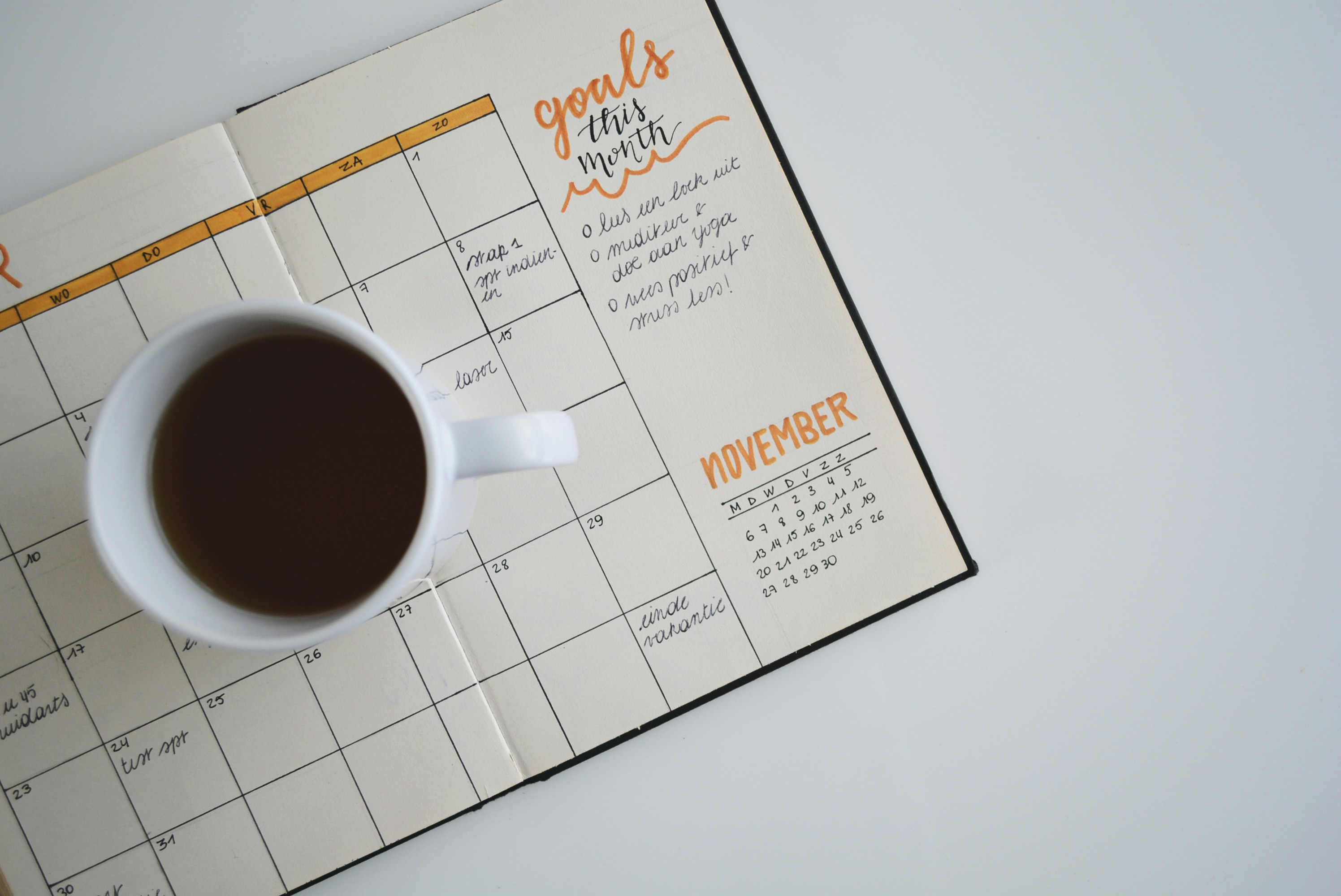
Time blocking changes everything.
Instead of vague intentions like:
“I’ll study later.”
You get something concrete:
“4:30–5:00 PM — Biology flashcards.”
“7:00–7:30 PM — Algebra problem set.”
“Sunday 5:00 PM — Weekly planning reset.”
That shift from intention to scheduled action is powerful.
Most students don’t struggle because they don’t care. They struggle because their study time is undefined. When study sessions live only in your head, they compete with everything else — sports, friends, phone notifications, fatigue.
Putting study blocks directly into Google Calendar removes ambiguity.
Google Calendar is free and supports:
Recurring events (e.g., “Daily 20-min review”)
Reminders and notifications
Color-coded subjects
Cross-device sync
Easy rescheduling when plans change
That flexibility matters. High school schedules shift constantly. A system that adapts quickly is more sustainable.
Why Time Blocking Works
Time blocking helps because it:
Reduces decision fatigue (“Should I study now?”)
Creates visual accountability
Encourages consistency over intensity
Makes spacing easier to implement
If retrieval practice improves memory, time blocking ensures retrieval actually happens.
Without scheduling, even the best flashcard system won’t be used consistently.
The Catch
Google Calendar only works if you pair it with a weekly review habit.
Once a week, you should:
Look ahead at deadlines
Adjust study blocks
Schedule extra time for weak subjects
Protect at least 2–3 retrieval sessions
If you skip weekly planning, your calendar becomes reactive instead of proactive.
Used properly, Google Calendar becomes your execution engine — the tool that turns learning science into daily action.
8. Todoist

Todoist captures tasks so your brain doesn’t have to.
According to Todoist’s help center, Pro is $7/month or $60/year.
Best for:
Tracking small deadlines
Breaking big projects into steps
Reducing mental clutter
9. Forest

Todoist captures tasks so your brain doesn’t have to.
Instead of mentally juggling everything — homework due Friday, quiz next week, project draft in three days — you offload it into a trusted system. That alone reduces cognitive load.
According to Todoist’s pricing page, Pro is $7/month or $60/year, while a free tier covers basic task tracking. For many high school students, the free version is sufficient. The Pro version mainly adds reminders, calendar views, and more advanced organization features.
The real value of Todoist isn’t complexity. It’s clarity.
When tasks live in your head, they create background stress. When they live in a list with due dates, they become manageable.
Best For
Tracking small deadlines (homework, reading assignments, quizzes)
Breaking big projects into steps (research → outline → draft → edit)
Reducing mental clutter so you can focus on studying
Seeing everything due this week in one place
For example, instead of writing “History project” as one task, you might break it into:
Choose topic
Gather 5 sources
Create outline
Write introduction
Complete first draft
That structure prevents last-minute panic.
Where It Fits
Todoist works best as a task layer, not a study engine.
It won’t improve retention directly. It won’t space your review. It won’t generate practice questions.
But it makes sure you don’t forget what needs to be done — which indirectly protects your study time.
If Google Calendar blocks time and your flashcard app handles retrieval, Todoist keeps your responsibilities organized so nothing slips through the cracks.
10. Khan Academy
Khan Academy states its mission is to provide a free, world-class education to anyone, anywhere (see their About page). That mission isn’t marketing language — it reflects how the platform is structured.
Its downloads page confirms that its apps are 100% free, with no subscriptions or in-app purchases required. That matters for high school students who may not have paid app budgets.
Khan Academy functions less like a productivity tool and more like a practice and explanation engine. When a teacher moves quickly through a concept — or assumes prior knowledge — Khan Academy can fill those gaps with structured lessons and guided problem sets.
Best For
Math practice (Algebra, Geometry, Precalculus, AP-level foundations)
Science foundations (Physics, Chemistry basics, Biology concepts)
SAT and standardized test prep
Reviewing prerequisite skills you may have missed
The strength of Khan Academy lies in repetition and clarity. It provides:
Step-by-step explanations
Practice questions with feedback
Mastery-based progression
Immediate correction
That feedback loop is powerful. Instead of guessing whether you understand something, you find out quickly.
Where It Fits
Khan Academy works best as a reinforcement layer, not a primary organization system.
If:
Your teacher explains something once and moves on
Your textbook feels unclear
You need more reps before a test
Khan Academy gives you structured practice without cost barriers.
It won’t replace retrieval practice entirely, but it can dramatically strengthen understanding — especially in math-heavy subjects where volume of practice matters.
11. Photomath
Photomath provides step-by-step math solutions by scanning problems with your phone’s camera. Instead of just giving an answer, it breaks down each step in the solving process — which can be helpful when you’re stuck and don’t know where your mistake began.
Its pricing structure typically includes:
Basic: Free
Monthly: $9.99
Annual: $69.99
The free version covers core functionality, while paid tiers expand explanations and advanced features.
The key with Photomath is how you use it.
If you immediately scan every assignment question, you’re bypassing the struggle that builds problem-solving ability.
Used responsibly, it becomes a feedback tool — not a shortcut.
Use Responsibly
Attempt the problem first without assistance.
Compare your solution steps to the app’s breakdown.
Redo a similar problem independently to confirm understanding.
This sequence preserves the learning benefit while still giving you clarity when you’re stuck.
Used correctly, Photomath functions like a digital tutor pointing out errors.
Used incorrectly, it becomes avoidance.
The difference is whether you engage with the reasoning — or just copy the result.
12. Grammarly

Grammarly offers grammar, clarity, and tone suggestions designed to improve writing quality in real time. As you draft an essay, it highlights potential errors, awkward phrasing, and unclear sentences, then suggests revisions.
According to its pricing page, Grammarly Pro is listed at:
$30/month
$144/year
The free version covers basic grammar and spelling checks, while the paid plan expands into tone detection, clarity rewrites, vocabulary suggestions, and more detailed feedback.
Best For
Polishing final drafts before submission
Catching grammar and punctuation errors
Improving sentence clarity
Strengthening scholarship or college application essays
It’s especially useful in the editing phase — after you’ve already written your ideas.
Important Reminder
Grammarly should refine your writing, not replace your thinking.
If you accept every rewrite suggestion blindly, your voice can start to sound generic or overly formal. High school essays are graded not just on correctness, but on argument quality and originality.
Use Grammarly as a proofreading assistant, not a ghostwriter.
It can improve clarity.
But you still need to build the argument.
Choosing the Right Combination

You likely need 3–5 tools total.
Not twelve. Not a perfectly integrated productivity ecosystem. Just a small, focused stack that supports how learning actually works.
Most high-performing students don’t use more tools — they use fewer tools consistently.
Core Stack (Start Here)
Organization Hub
(Notion or OneNote)
This is where your materials live.
Notes
Class documents
Unit breakdowns
Assignment overviews
Its job is clarity, not recall. It keeps everything in one place so you’re not wasting energy searching for files.
Choose:
Notion if you prefer dashboards and structured databases.
OneNote if you prefer a simple digital binder format.
Retrieval Engine
(Anki, Quizlet, NotebookLM, or Cramberry)
This is the most important layer.
It forces you to:
Test yourself
Generate recall
Practice without looking
Choose based on your needs:
Anki for long-term spaced repetition
Quizlet for quick setup and varied modes
NotebookLM for source-grounded AI study generation
Cramberry if you frequently convert PDFs into flashcards or quizzes
This layer directly supports memory formation.
Planning System
(Google Calendar)
This ensures studying actually happens.
Without scheduling, even the best flashcard system won’t be used.
Use it to:
Block daily retrieval sessions
Schedule weekly planning
Allocate time for weak subjects
Planning turns intention into execution.
Optional Layers (Add Only If Needed)
Task Layer
(Todoist)
Useful for:
Tracking homework
Breaking projects into steps
Reducing mental clutter
This prevents small deadlines from derailing study sessions.
Focus Layer
(Forest)
Useful if:
Phone distractions are your main issue
You need visible focus accountability
It manages attention — not memory.
Practice Library
(Khan Academy)
Useful for:
Extra math reps
Science reinforcement
SAT preparation
This strengthens understanding through volume and guided practice.
The Principle
Each tool should serve a clear function:
Organize
Retrieve
Schedule
Optional: Track, Focus, Practice
If two apps overlap heavily, remove one.
A lean stack reduces friction.
And reduced friction increases consistency.
Consistency — not complexity — is what improves grades.
Weekly Study Workflow (Research-Aligned)

Weekly Study Structure (Research-Aligned)
This structure is built around two evidence-backed principles:
Retrieval practice
Distributed (spaced) review
It’s intentionally simple. The goal is repeatability, not intensity.
Sunday (20 minutes)
List all deadlines for the week
Identify upcoming quizzes or tests
Schedule 3–5 study blocks in Google Calendar
Prioritize weakest subject first
This is your control point. When you plan the week intentionally, you reduce reactive studying and last-minute panic.
A 20-minute planning session prevents hours of scattered effort later.
Monday–Thursday
20–30 minutes of retrieval practice daily
(Flashcards, quizzes, problem solving without notes)5–10 minutes briefly cleaning or organizing notes from that day
This is where spacing happens. Short, repeated review sessions outperform marathon cram sessions because each session forces reconstruction of memory after partial forgetting.
The note cleanup portion is minor — just enough to keep materials usable.
Tuesday & Thursday
Add a focused practice block:
Math problem sets
Science free-response
Essay outlining
Writing from memory
This adds depth. Retrieval builds memory; practice builds application.
Friday
Write a short summary from memory for each subject
Compare it against notes
Highlight gaps
This is diagnostic. It reveals weak areas before the weekend.
It also strengthens recall through forced reconstruction.
Saturday
Start with the hardest subject first
Longer focused session (45–60 minutes)
End with light spaced review
Hard-first scheduling prevents procrastination creep.
Why This Works
This pattern aligns with distributed practice findings:
Frequent, shorter sessions
Retrieval over rereading
Built-in self-testing
It avoids both extremes:
Passive daily review
One-night cramming
Minimum Effective Dose
If you’re overwhelmed, scale it down.
You don’t need perfection.
You need consistency.
Minimum version:
Two 20-minute retrieval sessions per week
One 15–20 minute planning session
That alone will outperform cramming.
Why?
Because even small amounts of spaced retrieval compound over time.
Final Recommendation
The best study apps for high school students are the ones that reliably help you build two habits:
Testing yourself
Spacing your review
Everything else is secondary.
If you want a simple starting setup:
Google Calendar (planning layer)
OneNote (organization layer)
Anki or Quizlet (retrieval engine)
Optional: PDF-to-flashcard workflow if prep time is your bottleneck
That’s it.
Three core tools.
Clear roles.
No overlap.
Apps don’t replace effort.
They reduce friction.
And reducing friction is often what turns:
“I should study more”
into
“I studied consistently this week.”
Consistency beats intensity.
Spacing beats cramming.
Retrieval beats rereading.
Build your system around those principles — and the tools will start working for you instead of distracting you.