A 50-Page PDF → Flashcards in Seconds
Upload a textbook chapter or lecture slides and get a full flashcard deck before you could finish typing your first card manually.
AI Flashcard Generator
Upload a PDF, paste a YouTube link, or drop in your notes. Cramberry's AI reads your content and generates flashcards designed for active recall — no manual typing required.
No credit card required
Why use an AI flashcard generator?
Manually creating flashcards from a 50-page PDF can take hours. With Cramberry, you upload the document and get a complete deck in seconds. Unlike tools like Quizlet where you type each card yourself, AI reads your source material and writes the cards for you.
Upload a textbook chapter or lecture slides and get a full flashcard deck before you could finish typing your first card manually.
AI identifies definitions, relationships, and key facts, then writes questions that test understanding — not just recognition. Better questions lead to better retention.
When you make cards by hand, you skip things. AI reads the entire document and generates cards across all topics, so nothing important falls through the cracks.
Every card is fully editable. Reword a question, add context, or delete cards you don't need. AI gives you the starting point — you refine it.
Unlike tools that only accept text input, Cramberry generates flashcards directly from PDFs, YouTube videos, photos of notes, and web articles. No copy-pasting required.
Don't understand a concept on a card? Ask the built-in AI tutor. It has full context of your source material and can explain things differently or give examples.
How it works
Each source type works slightly differently, but the result is the same: a complete flashcard deck ready to study, generated from your actual course material.
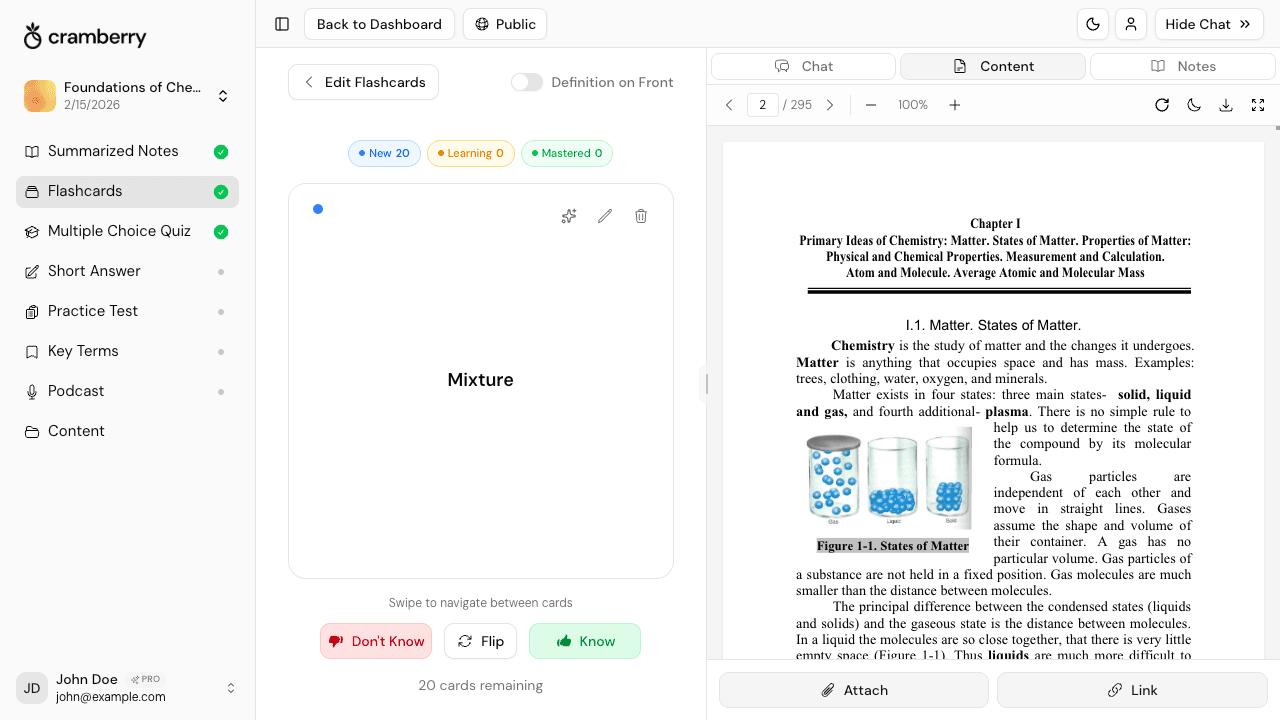
Upload a textbook chapter, lecture slide deck, or research paper. Cramberry reads the entire document, identifies definitions, concepts, and key facts, then outputs a flashcard deck you can study immediately. Your original PDF stays viewable side-by-side so you can reference the source while reviewing cards.
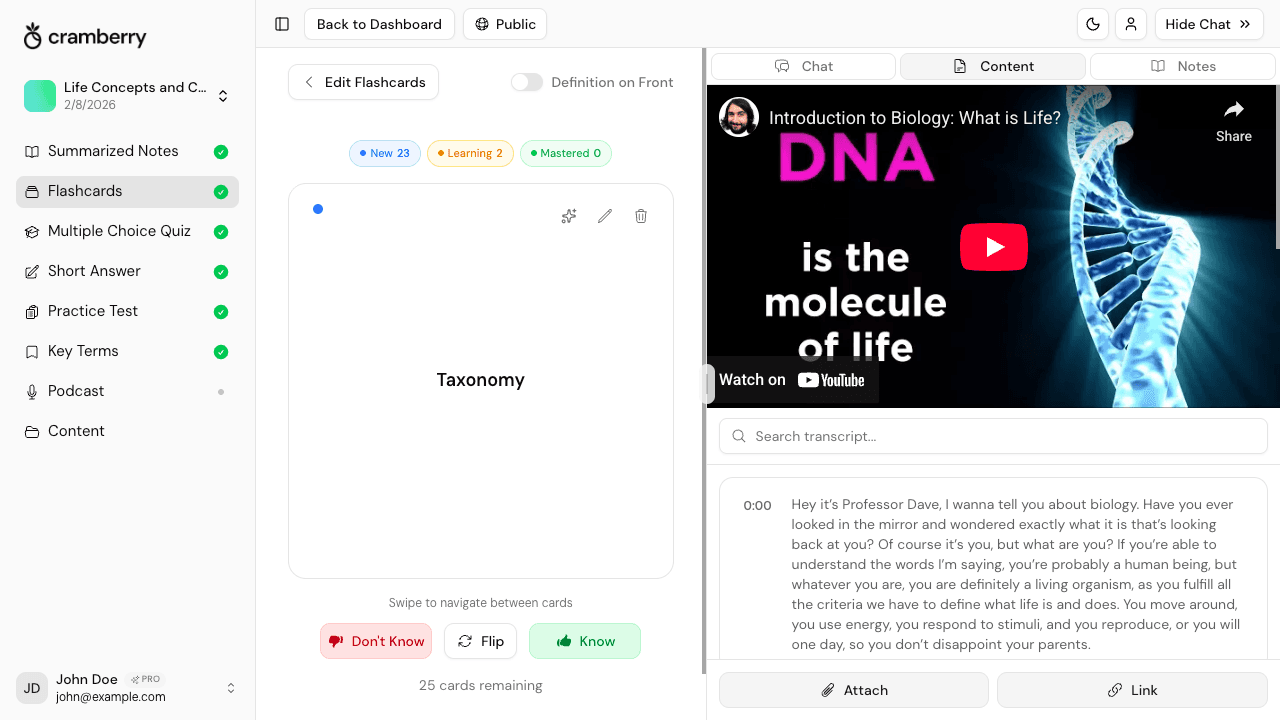
Paste a lecture recording, tutorial, or educational video URL. Cramberry auto-transcribes the audio, pulls out the important points, and generates flashcards from the content. You can watch the video side-by-side while you study — useful for revisiting specific explanations.
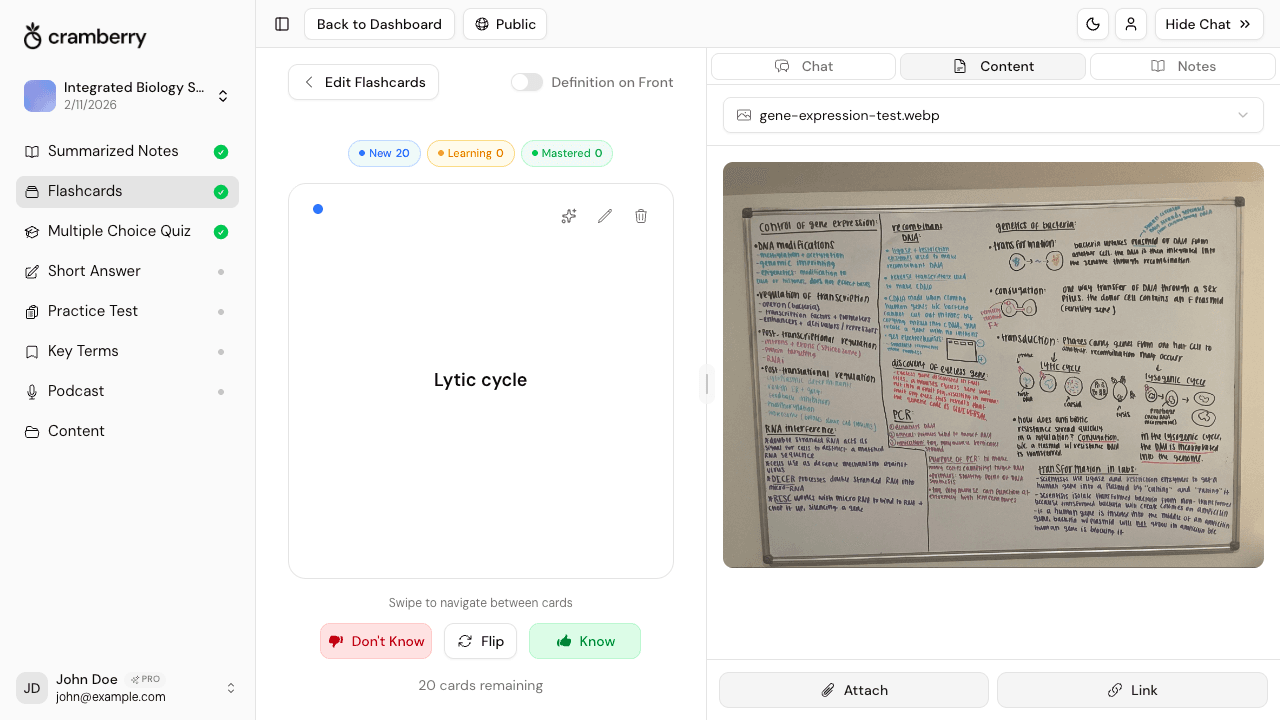
Take a photo of your handwritten notes, a whiteboard, or a textbook page. OCR extracts the text, then AI converts it into question-answer flashcards. This is especially useful after lectures — snap a picture of the board and have flashcards ready before you leave the room.
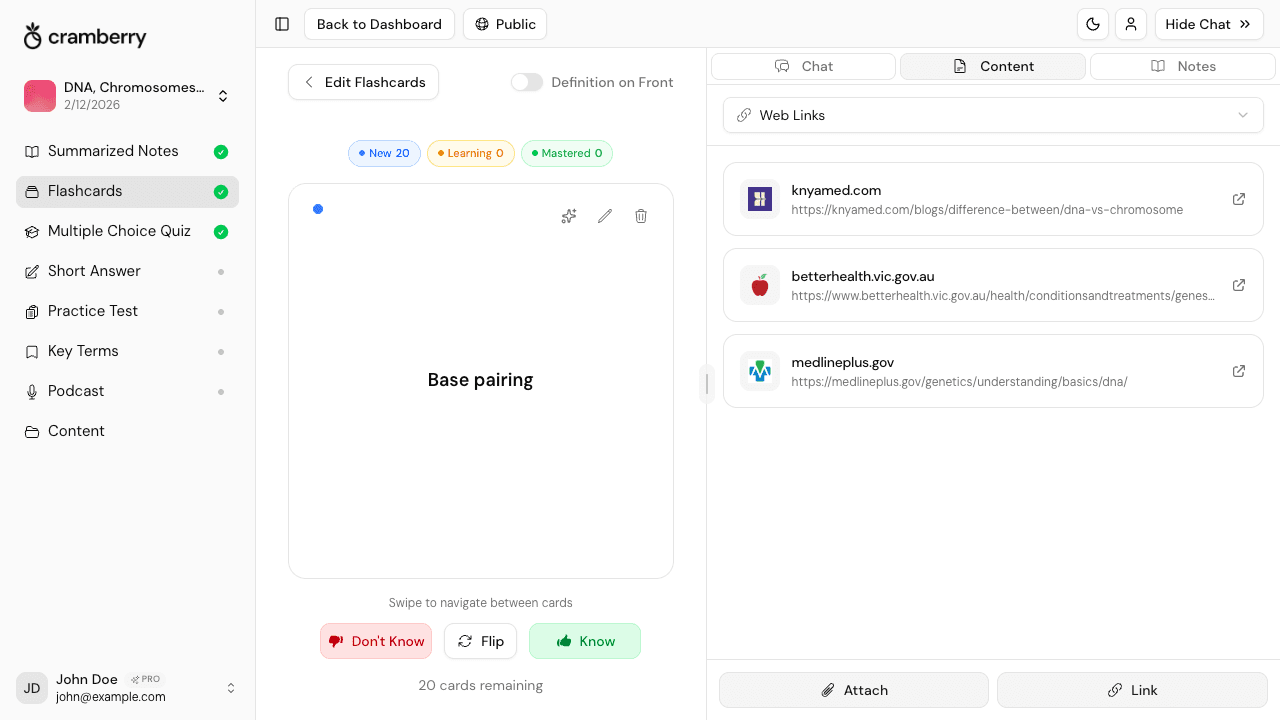
Paste a URL from Wikipedia, a documentation page, a blog post, or a news article. Cramberry extracts the content and generates flashcards from it. You can combine multiple web sources into a single Study Set to build a comprehensive flashcard deck across topics.
Upload a textbook chapter, lecture slide deck, or research paper. Cramberry reads the entire document, identifies definitions, concepts, and key facts, then outputs a flashcard deck you can study immediately. Your original PDF stays viewable side-by-side so you can reference the source while reviewing cards.
Paste a lecture recording, tutorial, or educational video URL. Cramberry auto-transcribes the audio, pulls out the important points, and generates flashcards from the content. You can watch the video side-by-side while you study — useful for revisiting specific explanations.
Take a photo of your handwritten notes, a whiteboard, or a textbook page. OCR extracts the text, then AI converts it into question-answer flashcards. This is especially useful after lectures — snap a picture of the board and have flashcards ready before you leave the room.
Paste a URL from Wikipedia, a documentation page, a blog post, or a news article. Cramberry extracts the content and generates flashcards from it. You can combine multiple web sources into a single Study Set to build a comprehensive flashcard deck across topics.
Cramberry isn't just a flashcard generator — it's a study system. Here's what's included with every deck you create.
Upload a PDF, video, or image and get a complete flashcard deck in seconds. No typing, no formatting.
Cards test understanding, not just recognition. AI writes questions that force you to retrieve information from memory — the most effective way to study.
Cramberry tracks which cards you know and which you struggle with. Cards you miss appear more often, similar to spaced repetition systems like Anki — but without the setup.
Reword questions, add context, or delete cards. AI gives you the foundation — you customize it to how you learn best.
Review flashcards on your phone, tablet, or laptop. Progress syncs across devices so you can study on the bus or at your desk.
Don't understand a card? Ask the AI tutor for a different explanation, an example, or more context. It knows your source material.
The science behind flashcards
Flashcards work because they force active recall — you see a question and have to retrieve the answer from memory before checking. This is fundamentally different from re-reading notes or highlighting, which feel productive but don't build long-term memory. Research consistently shows that self-testing outperforms passive review for retention.
The challenge is that making good flashcards takes time. You need to identify the right concepts, write clear questions, and cover the material thoroughly. This is where AI changes the equation: Cramberry reads your source material and generates cards in seconds, so you skip the prep work and go straight to studying.
Spaced repetition — reviewing cards at increasing intervals — amplifies the effect further. Cramberry's mastery tracking works like a lightweight spaced repetition system: cards you struggle with appear more often, and cards you've mastered move to the back. Similar to Anki, but without the manual configuration.
Cramberry generates flashcards from all common file types. Upload documents, paste links, snap photos, or type text directly.
Documents
YouTube
Video links
Web Links
Articles
PNG/JPG
Images
DOC/DOCX
Word files
PPT/PPTX
PowerPoint
Audio
Recordings
TXT/MD
Text files
Students and professionals who need to learn material quickly and retain it for exams, certifications, or work.
Turn a 200-page textbook into flashcards before your biology final. Upload lecture recordings and get quizzes in minutes.
Paste your AP History notes and generate practice tests that mirror the real exam. Study smarter for SAT prep.
Upload your anatomy slides and quiz yourself on every muscle, nerve, and bone. Perfect for Step 1 prep.
Turn case briefs into flashcards automatically. Ask the AI to explain complex legal concepts from your con law readings.
Generate practice problems from your calc textbook. Get instant explanations when you're stuck on a concept.
Preparing for the CPA? PMP? Upload your study guides and let AI create targeted practice questions.
The same upload that creates your flashcards can also generate quizzes, notes, practice tests, and more — all from one source.
Simple pricing
Perfect for getting started
$0
forever free
Perfect for cramming or finals week
$4.99
per week
For serious students
$14.99
per month
More tools
One upload powers every format — flashcards, notes, quizzes, summaries, and podcasts.
FAQ
Common questions about generating flashcards with AI.
Upload a PDF, paste a video link, or drop in your notes. Get a complete flashcard deck — ready to study — without typing a single card.
Create Flashcards Free