Turn Your Lecture Slides Into Study Notes That Make Sense

Upload a slide deck and Cramberry fills in the gaps — expanding sparse bullet points into full explanations, connecting ideas across slides, and adding definitions so you actually understand the material, not just stare at fragments.

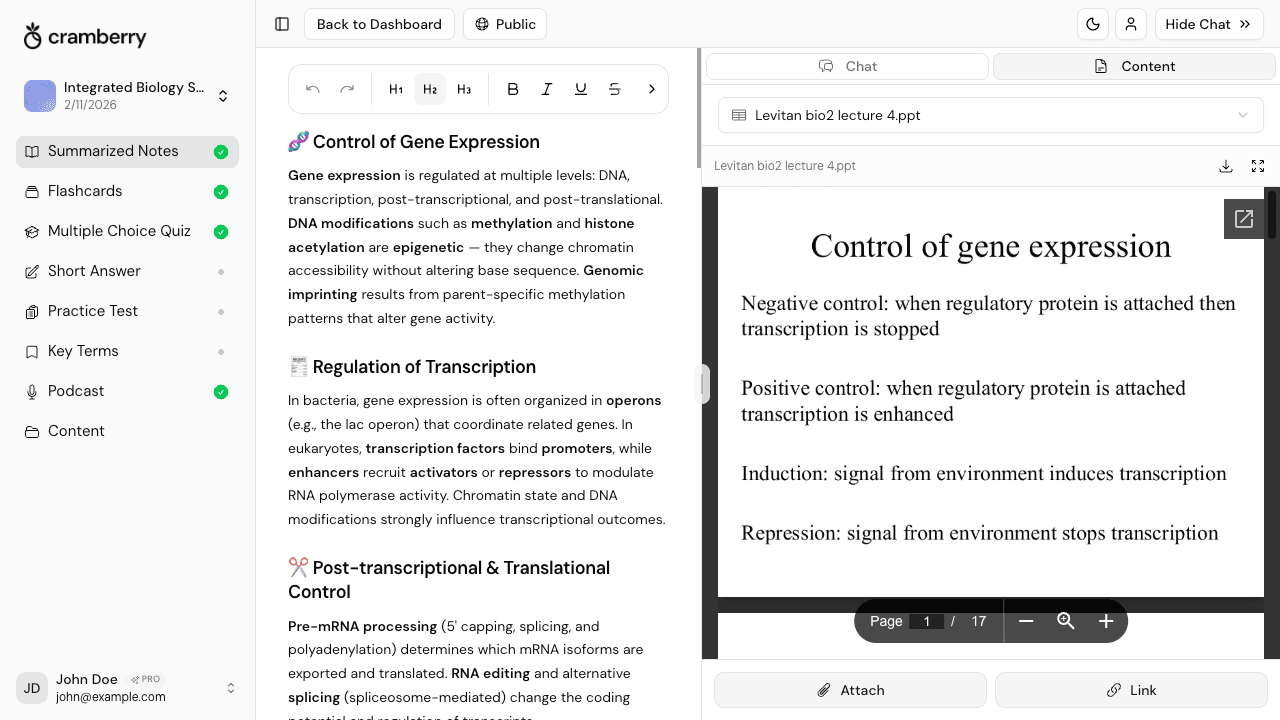
Lecture slide deck converted to organized, detailed study notes by Cramberry AI

Notes Your Slides Were Never Going to Be

Slides are designed for a presenter. Cramberry turns them into notes designed for a student.

Fill In What the Slides Left Out

Bullet fragments are written for a speaker to reference, not a student to study. Cramberry expands each point into full sentences with the context your professor said out loud but never typed.

Ideas Connected Across Slides

Concepts that span a dozen slides get woven into coherent paragraphs — not isolated bullets you have to mentally stitch together at 2am before an exam.

Definitions Built Right In

Key terms and concepts get explained where they appear in the notes, so you are not stopping every few lines to Google what a single bolded word actually means.

60 Slides Converted in Seconds

A full lecture deck that would take an hour to manually transcribe becomes organized, study-ready notes in under a minute — with no copy-pasting or formatting on your part.

Works With Every Slide Format

Upload PowerPoint (.pptx) directly, or export Google Slides or Keynote to PDF first — Cramberry reads both and pulls every slide into the same conversion pipeline.

One Upload, Every Study Tool

Your notes live in a StudySet alongside AI-generated flashcards, quizzes, and practice tests — all from the same slide deck, all in one place.

How Cramberry Turns Slides Into Real Study Material

From a bullet-covered slide deck to a full, organized study session — here is what happens under the hood.

Sparse slide bullets expanded into full explanatory study notes

Sparse Bullets Become Full Explanations

Most lecture slides contain three-word bullets that only make sense if you were in the room. Cramberry reads every slide, identifies the underlying concept each bullet points to, and writes it out fully — adding the explanation, the why, and the connections to surrounding ideas.

  • Bullet fragments expanded into complete, readable sentences
  • Missing context and examples filled in automatically
  • Concepts explained at the depth you need to actually learn them
Lecture slides reorganized into topic-structured study notes

Notes Organized by Topic, Not by Slide Number

A 60-slide lecture rarely follows a clean one-topic-per-slide structure. Professors jump between ideas, revisit earlier concepts, and build on definitions introduced twenty slides back. Cramberry recognizes thematic threads and groups related content together so your notes read like a structured summary, not a list of disconnected points.

  • Related ideas from different slides grouped into coherent sections
  • Logical flow maintained even when slides jump between topics
  • Headings and structure that mirror how you would actually organize a study guide
AI tutor answering a question about a concept from a lecture slide deck

An AI Tutor That Knows Your Exact Slides

After generating notes, you get an AI Chat Tutor that has read your slide deck. Ask it to clarify a concept from slide 34, explain why two ideas are related, give you an example of a term your professor defined briefly, or quiz you on a section you are struggling with.

  • Ask questions about any slide or concept in plain language
  • Get explanations tailored to your specific material — not generic answers
  • Upload additional files or add context mid-session without losing your notes
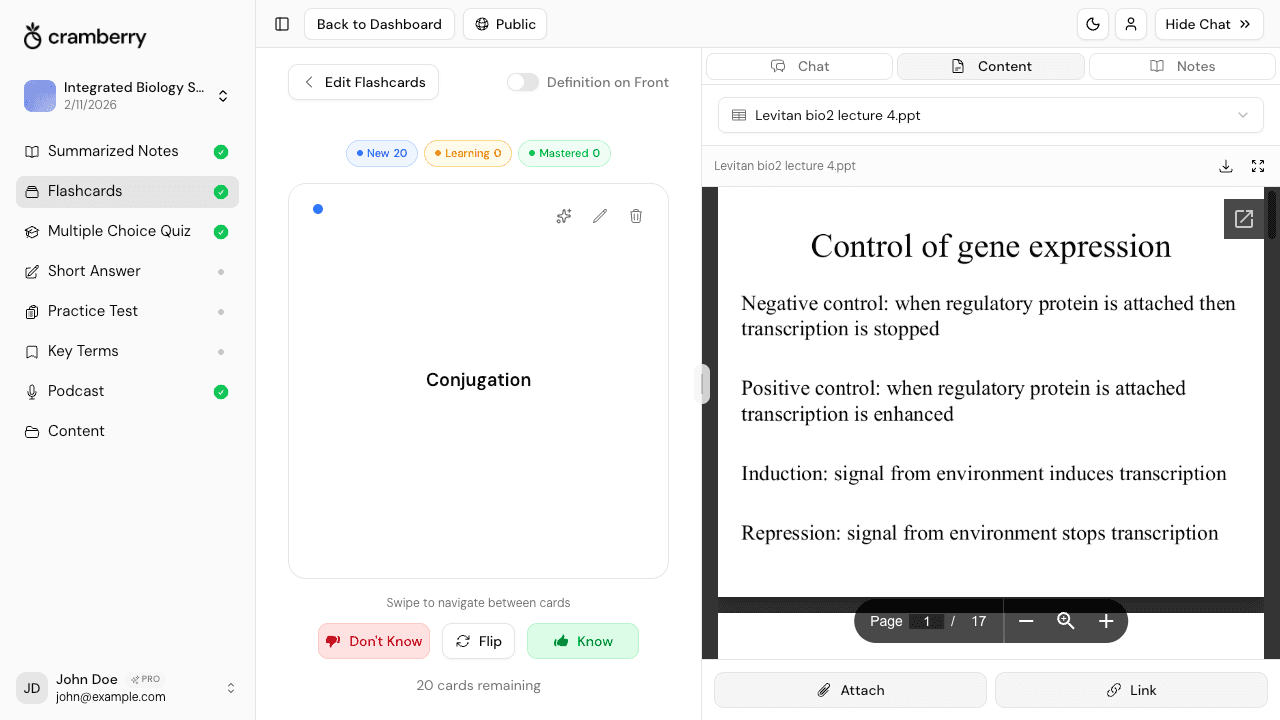
Flashcards and quizzes generated from a lecture slide deck in Cramberry

Flashcards, Quizzes, and Practice Tests From the Same Deck

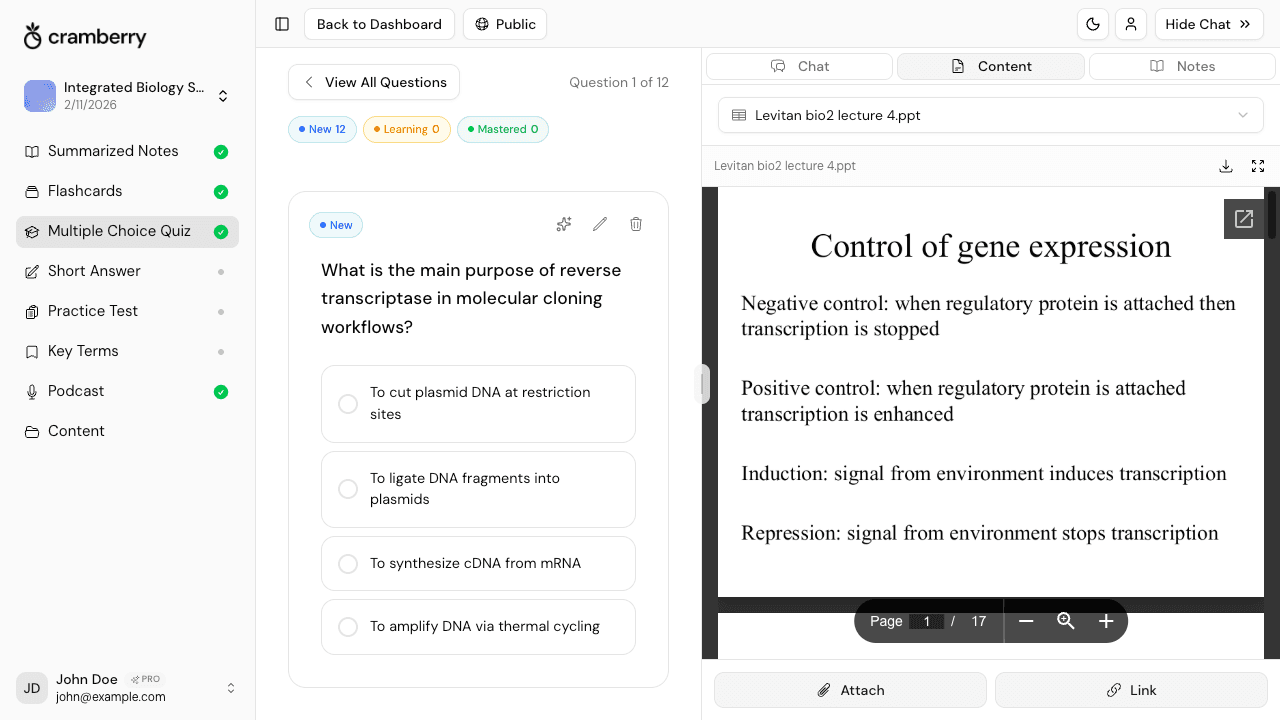
Notes are just the beginning. Once your slide deck is in Cramberry, you can generate flashcards from the key terms, a multiple-choice quiz on the main concepts, short-answer questions for deeper recall, and a full practice test — all in a few clicks. Everything lives in the same StudySet so switching between formats takes seconds.

  • Key term flashcards generated directly from slide content
  • Multiple-choice and short-answer quizzes on the concepts that matter
  • Practice tests that pull from the full breadth of your deck

Three Steps From Slide Deck to Study Session

No formatting, no copy-pasting, no stitching notes together by hand.

1

Upload Your Slide Deck

Drop in a PowerPoint (.pptx) file or a PDF export from Google Slides or Keynote. Cramberry extracts the content from every slide — text, titles, and structure — in one pass.

2

AI Generates Full Study Notes

The AI reads across all your slides, expands the bullet points into complete explanations, connects related ideas, defines key terms, and organizes everything into structured notes ready to study from.

3

Study, Quiz Yourself, and Ask Questions

Open your StudySet and flip through the notes, generate flashcards or a quiz from the same material, and chat with an AI tutor that has read every slide — whenever a concept needs more explanation.

Why Slides Alone Are Bad Study Material

Slides are a presentation aid, not a learning document. Research on how we retain information consistently shows that passive exposure to fragmented cues — exactly what bullet-point slides provide — produces far weaker retention than reading material that explains, connects, and contextualizes ideas. When you sit with a slide deck and try to reconstruct meaning from three-word bullets, most of your mental effort goes into interpreting the fragments rather than encoding the concepts.

Converting slides into full, connected notes does more than make the content readable. It creates the foundation for active retrieval practice — the study technique with the strongest evidence base for long-term retention. When you then generate flashcards or a quiz from those notes, you move from recognizing fragments to actually recalling and applying concepts. That shift is where real learning happens.

Based on well-established principles from cognitive science including retrieval practice, the generation effect, and the importance of elaborative encoding in long-term memory formation.
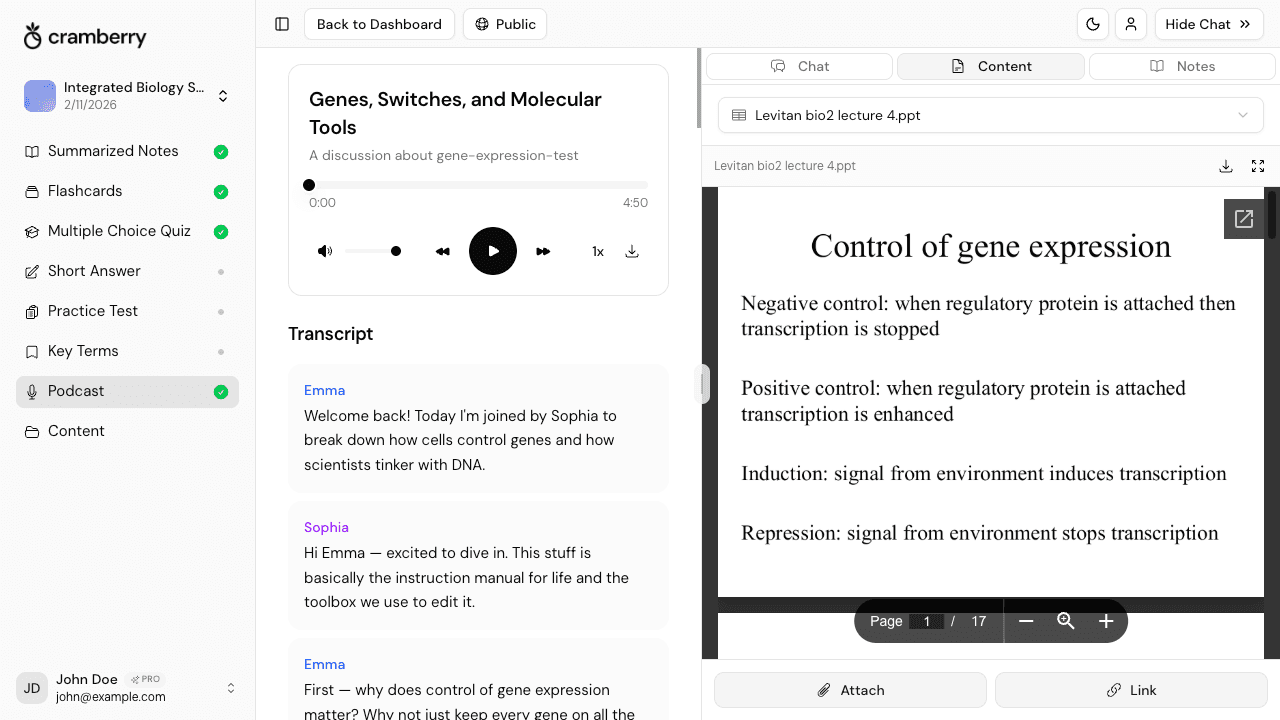
Every Way You Can Bring Your Material In

Slides are the starting point. Combine them with anything else you have.

PDF Documents

Slides, textbooks, readings, handouts

PowerPoint / Slides

.pptx decks uploaded directly

YouTube Videos

Recorded lectures, tutorials, talks

Images & Photos

Whiteboard photos, diagrams, screenshots

Web Links & Articles

Course pages, readings, Wikipedia

Text & Audio

Pasted notes, voice recordings

Built for Anyone Studying From Slides

If your course runs on slide decks, Cramberry was made for you.

University Students

Your professor posts slides and calls it course material. Cramberry turns those skeleton decks into actual study notes before the exam.

Pre-Med and STEM Students

Dense technical slides full of diagrams, numbered lists, and one-word terms become fully explained notes — definitions included, flow intact.

Grad Students

Seminar slides, conference presentations, and reading-group decks can all be turned into structured summaries without hours of manual note-taking.

Self-Learners

Downloaded a free course's slides or grabbed a webinar deck? Cramberry makes them as useful as a proper textbook chapter.

Study Group Organizers

Upload the shared slides once and generate a common set of notes your whole group can study from — then quiz each other using the same material.

Non-Native English Speakers

Slides are often jargon-heavy with no definitions. Cramberry explains terms in context, making lecture content far easier to understand and retain.

More Ways to Study From Your Slides

Notes are just the start. Generate any of these from the same slide deck.

Simple pricing

Start free, upgrade when ready.

Free

Perfect for getting started

$0

forever free

  • 5 AI generations total
  • 10 AI chat messages per month
  • 1 podcast generation
  • 1 hour recording (lifetime)
  • Unlimited study sets
  • Courses, notes, flashcards, and quizzes
Get started
Cram mode

Weekly

Perfect for cramming or finals week

$4.99

per week

  • Everything in Pro, billed weekly
  • Unlimited AI generations
  • Unlimited AI chat messages
  • Cancel anytime — no commitment
  • Ideal for exam crunch periods
  • Priority support
Try Weekly
Most popular

Pro

For serious students

$14.99

per month

  • Unlimited AI generations
  • Unlimited AI chat messages
  • 10 podcasts per month
  • 2 hrs/day recording (30 hrs/month)
  • Unlimited study sets
  • Courses, notes, flashcards, and quizzes
  • Short answer and practice tests
  • Key terms glossary
  • Priority support
Get Started

FAQ

Frequently Asked Questions

Everything you need to know.

Turn Your Slide Deck Into Notes That Actually Help You Study

Stop trying to memorize fragments. Upload your slides and get full, connected notes — plus flashcards, quizzes, and an AI tutor — all from one deck.

Get started free