Turn Any Video Into Study Notes Automatically

Paste a YouTube link or upload audio from your lecture, Zoom recording, or course video. Cramberry's AI transcribes the content and generates clean, organized notes with headings, key points, and definitions — no pausing, no scribbling required.

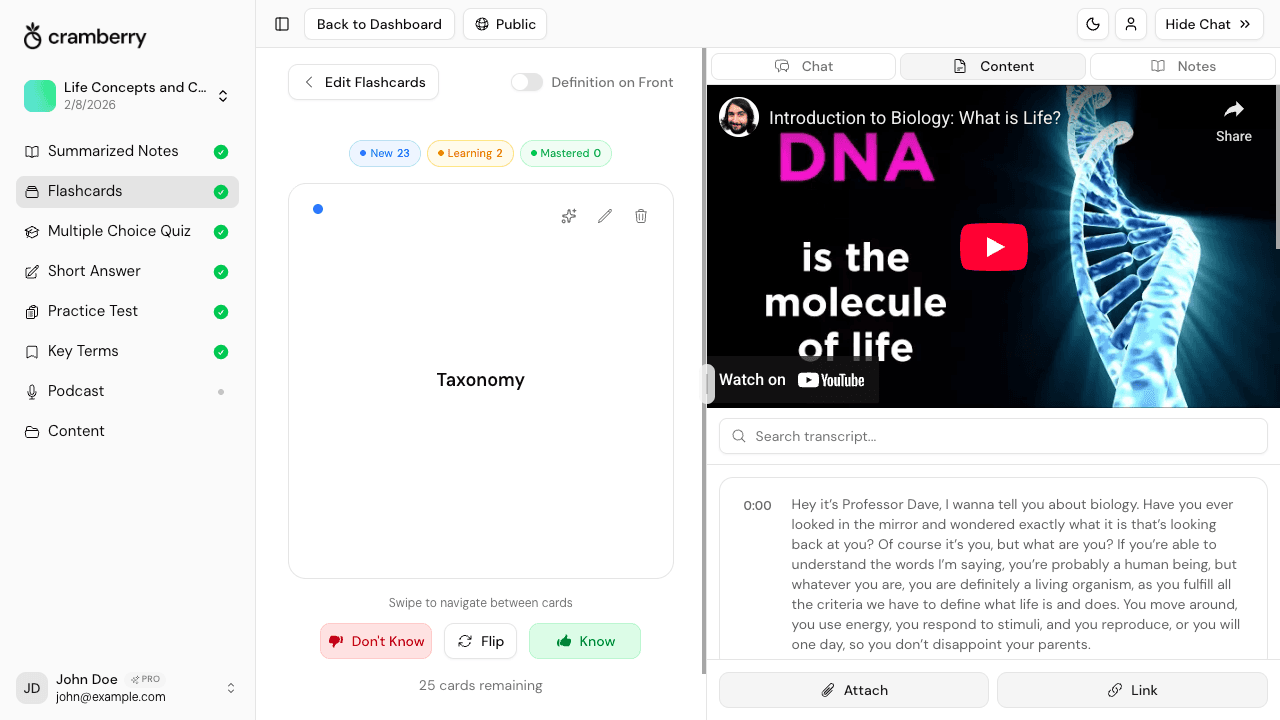
AI converting a video lecture into structured study notes with headings and key points

Why students use Cramberry for video notes

Watching a lecture shouldn't mean scrambling to keep up. Cramberry does the note-taking so you can focus on actually understanding the material.

Stop Pausing and Rewinding

AI captures every key point from the video so you never have to pause and frantically scribble down a definition or slide before it disappears.

Structured Notes, Not a Transcript Dump

Notes come out organized with clear headings, bullet points, and definitions — not a wall of raw transcribed text that's harder to study from than the video itself.

YouTube Links Work Directly

Paste any YouTube URL — lecture, tutorial, documentary, or course video — and Cramberry handles the rest. No downloading, no screen recording required.

Audio and Recording Support

Have a Zoom recording, Teams meeting, or downloaded course video? Upload the audio file and get the same quality notes from any recorded session.

Ask Questions About the Video

The AI Chat Tutor is context-aware of your video's content. Ask it to explain a concept, clarify a confusing section, or quiz you on what the lecture covered.

Generate More Than Just Notes

From the same video content, create flashcards, quizzes, key terms, and practice tests in one click — text is extracted once and reused across every format.

How Cramberry converts video to notes

From a single YouTube link or audio upload, Cramberry builds a full study set — not just a transcript you have to reorganize yourself.

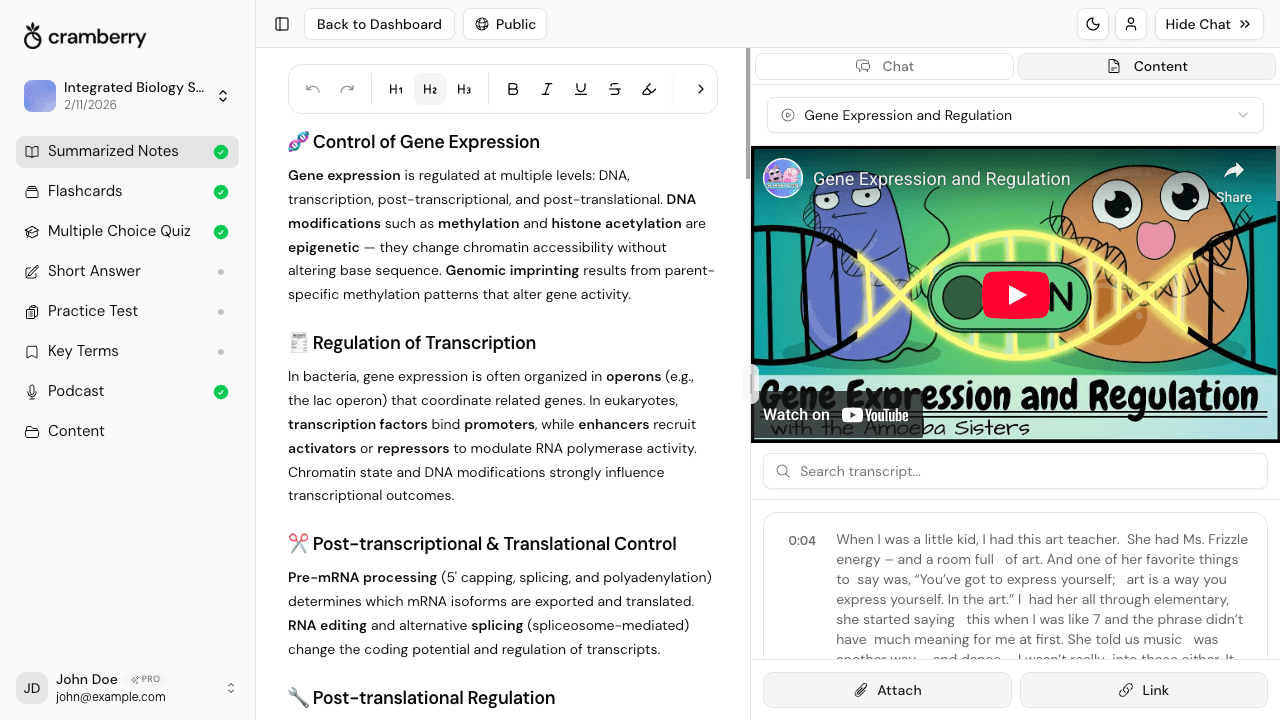
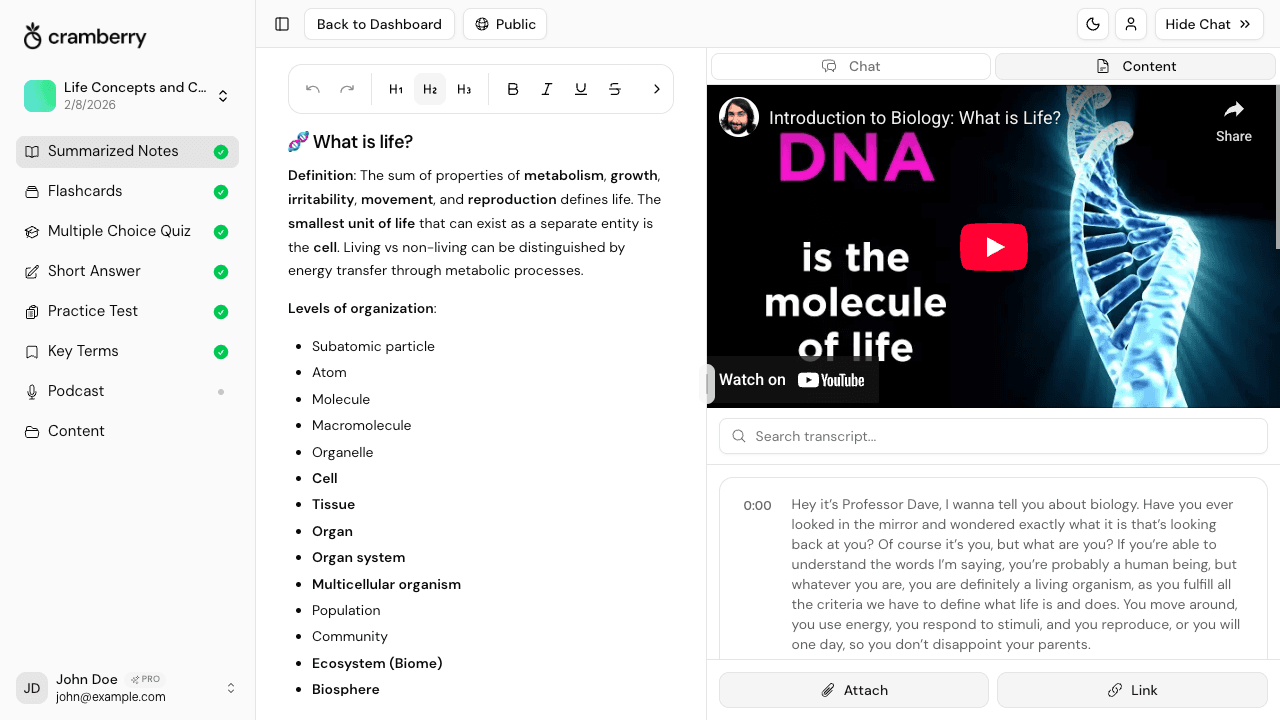
Organized study notes generated from a video lecture showing headings and key points

Accurate Transcription, Organized Notes

Cramberry doesn't just dump a transcript on you. It reads the content, identifies what matters, and structures notes into logical sections with headings, key points, and definitions you can actually study from. The output looks like notes a strong student would take — not a wall of spoken text.

  • Headings and subheadings matched to the video's topics
  • Key terms called out and defined in context
  • Clean, scannable notes — not raw transcription
AI chat tutor answering a follow-up question about a video lecture

Your AI Tutor Knows the Video

After generating notes, the AI Chat Tutor has full context of what was in the video. Ask it to explain a confusing concept, summarize a section you missed, or give you a quick quiz on the material — it answers based on the actual video content, not generic knowledge from the internet.

  • Ask follow-up questions about anything in the lecture
  • Get clarifications on concepts the video glossed over
  • Request a summary of any section or topic
Multiple study formats — notes, flashcards, and quizzes — generated from a single video

One Video, Every Study Format

Your video content powers your entire study set. After adding a YouTube link or audio file, Cramberry can generate flashcards, multiple-choice quizzes, short-answer questions, key terms, and a practice test — all from the same source, without re-uploading or re-processing.

  • Flashcards for active recall on video content
  • Multiple-choice and short-answer quizzes to test retention
  • Key terms extracted and defined straight from the lecture
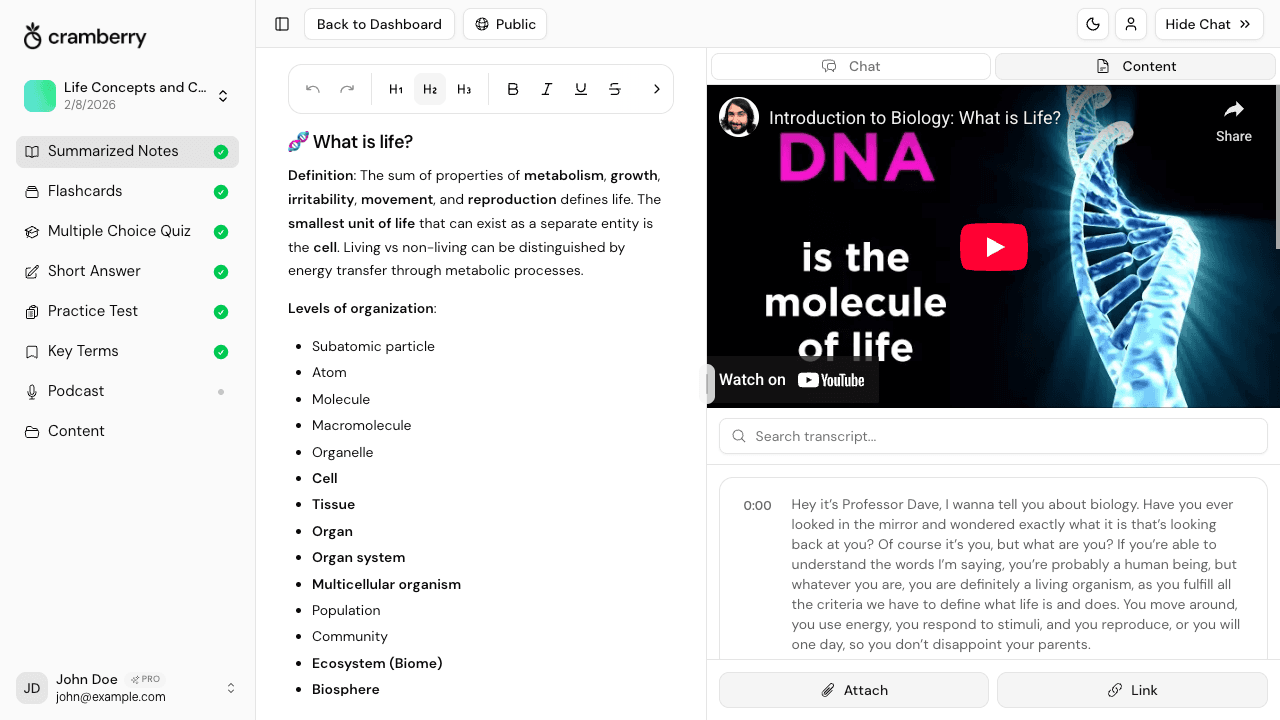
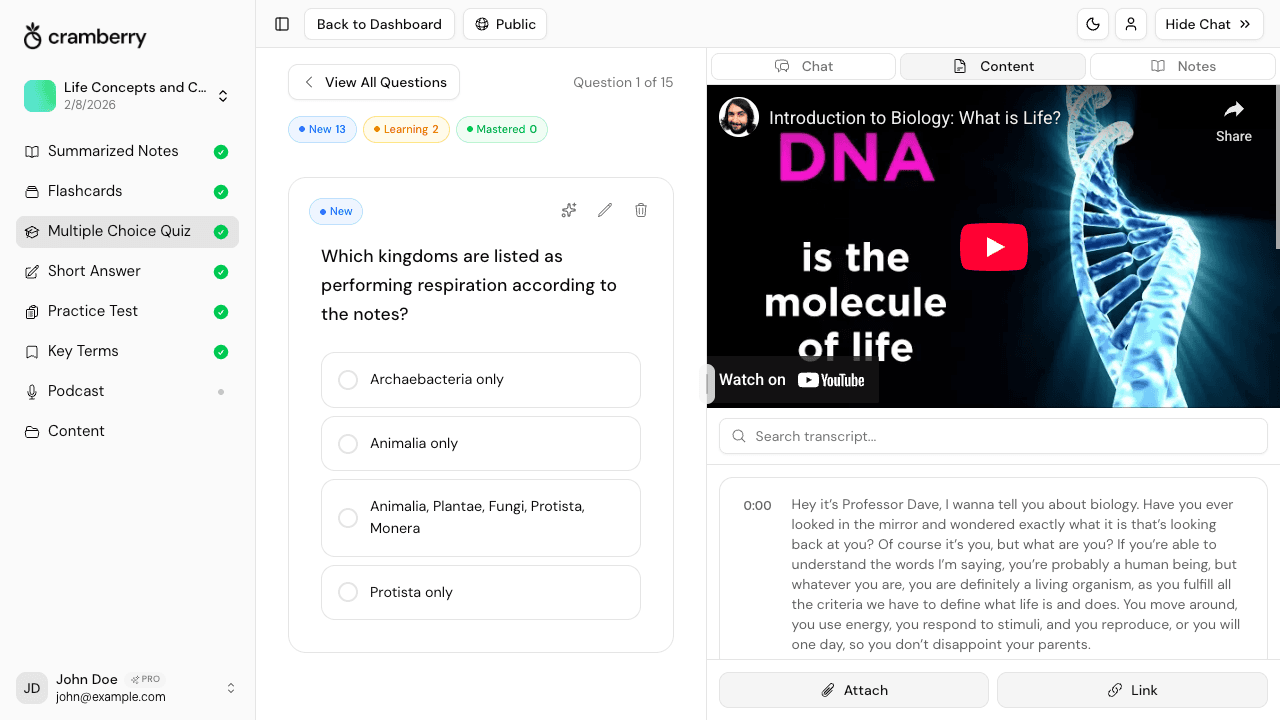
StudySet dashboard with notes, quizzes, and AI chat panel open from a video lecture

Everything in One StudySet

Notes, flashcards, quizzes, and your AI chat all live in one organized StudySet. Switch between your notes and a quiz without losing your place, and keep chatting with the tutor right alongside your content. You can also add more videos, files, or text to the same StudySet at any time.

  • Left sidebar shows all your content types at a glance
  • AI chat stays open alongside your notes and quizzes
  • Add more videos or files to the same StudySet anytime

Three steps from video to ready-to-study

No setup, no configuration. Paste a link and you're studying in minutes.

1

Add Your Video

Paste a YouTube URL directly into Cramberry, or upload an audio file from a Zoom recording, course video, or any recorded lecture you have access to.

2

AI Generates Your Notes

Cramberry transcribes and analyzes the content, then creates organized notes with headings, key points, and definitions — ready in under a minute for most videos.

3

Study and Ask Questions

Review your notes, flip through flashcards, take a quiz, or ask the AI Chat Tutor anything about what was in the video — all from a single StudySet.

Why this actually helps you learn

Reading a transcript is passive. Cramberry's structured notes are designed to support active recall — the practice of retrieving information from memory, which research consistently shows leads to stronger, longer-lasting retention than re-reading or re-watching the same material.

By converting a video into notes, flashcards, and quizzes, Cramberry puts the testing effect to work: being tested on material — not just reviewing it — is one of the most effective strategies for consolidating what you've learned. The AI tutor adds another layer, letting you engage with the content through dialogue rather than passive consumption.

Based on well-established findings from cognitive psychology research on retrieval practice, active recall, and the testing effect.

Supported input formats

YouTube links work directly. For other video content, upload the audio or use any of the supported formats below.

PDF Documents

Upload lecture slides or readings

PowerPoint / Slides

Import presentations directly

YouTube Videos

Paste any YouTube link

Images / Photos

Scan handwritten notes or diagrams

Web Links / Articles

Pull in any web page or article

Text & Audio

Paste text or upload audio files

Who uses Cramberry to take video notes

If you learn from video, Cramberry saves you hours every week.

University Students

Turn recorded lectures and course videos into complete, structured notes without spending hours transcribing content by hand after the fact.

Online Course Learners

Keep up with fast-moving tutorial videos and MOOCs by converting them to organized notes you can review, quiz yourself on, and actually retain.

Self-Directed Learners

Extract real study material from YouTube channels, documentaries, and educational content — not just a raw transcript you have to sort through yourself.

Professionals Upskilling

Convert training webinars and recorded work sessions into notes and quizzes to actually retain what was covered, not just feel like you watched it.

Language Learners

Build vocabulary lists and grammar notes from video content, then quiz yourself on what you heard using flashcards generated from the same material.

Test Prep Students

Pull structured notes and practice questions from review videos so every study session is building toward exam day — not just passive rewatching.

More study tools in Cramberry

Your video notes are just the start. Generate every type of study material from the same content.

Simple pricing

Start free, upgrade when ready.

Free

Perfect for getting started

$0

forever free

  • 5 AI generations total
  • 10 AI chat messages per month
  • 1 podcast generation
  • 1 hour recording (lifetime)
  • Unlimited study sets
  • Courses, notes, flashcards, and quizzes
Get started
Cram mode

Weekly

Perfect for cramming or finals week

$4.99

per week

  • Everything in Pro, billed weekly
  • Unlimited AI generations
  • Unlimited AI chat messages
  • Cancel anytime — no commitment
  • Ideal for exam crunch periods
  • Priority support
Try Weekly
Most popular

Pro

For serious students

$14.99

per month

  • Unlimited AI generations
  • Unlimited AI chat messages
  • 10 podcasts per month
  • 2 hrs/day recording (30 hrs/month)
  • Unlimited study sets
  • Courses, notes, flashcards, and quizzes
  • Short answer and practice tests
  • Key terms glossary
  • Priority support
Get Started

FAQ

Frequently Asked Questions

Everything you need to know.

Stop taking notes by hand. Let AI do it.

Paste a YouTube link or upload audio from your next lecture, and Cramberry builds your study notes, flashcards, and quizzes automatically. Free to start — no credit card needed.

Get started free