Replace Every Study App With One Student Productivity Tool That Does It All

Stop juggling five different apps. Upload your lecture notes, textbook chapters, or YouTube lectures once — Cramberry instantly turns them into notes, flashcards, quizzes, practice tests, and podcasts, with an AI tutor built right in.

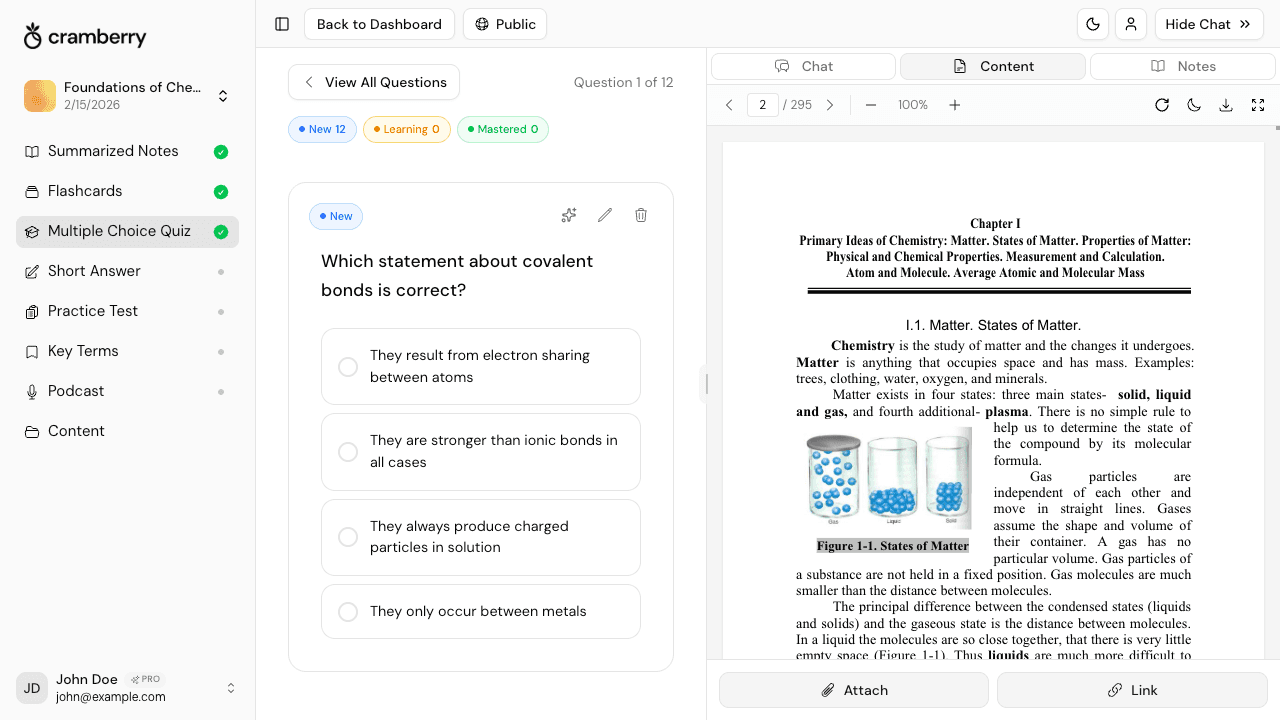
Cramberry all-in-one student productivity dashboard showing notes, flashcards, quizzes, and AI tutor in one StudySet

Everything You Need. One Place.

The average student switches between 4–6 separate apps to study. Cramberry collapses all of them into a single upload.

One Upload, Every Format

Add your material once and instantly generate notes, flashcards, quizzes, practice tests, and an audio podcast — all from the same source.

Zero App-Switching

Notes, flashcards, quizzes, and your AI tutor all live inside one StudySet. Open one tab. Study everything.

Built-In AI Tutor

Ask follow-up questions, request explanations, or go deeper on any concept. Your AI tutor already knows your material.

Upload Anything

PDFs, slides, YouTube videos, audio recordings, web articles, images — if it contains content, Cramberry can study it.

Active Recall, Baked In

Flashcards, multiple-choice quizzes, short-answer questions, and practice tests are generated automatically — the exact techniques that make studying actually stick.

Finish Studying Faster

AI generation takes seconds, not hours. Spend your time actually learning, not reformatting notes or manually making flashcard decks.

A Smarter Study Stack, Not a Bigger One

Cramberry replaces the note app, the flashcard app, the quiz maker, the transcription tool, and the tutor subscription — with a single workflow.

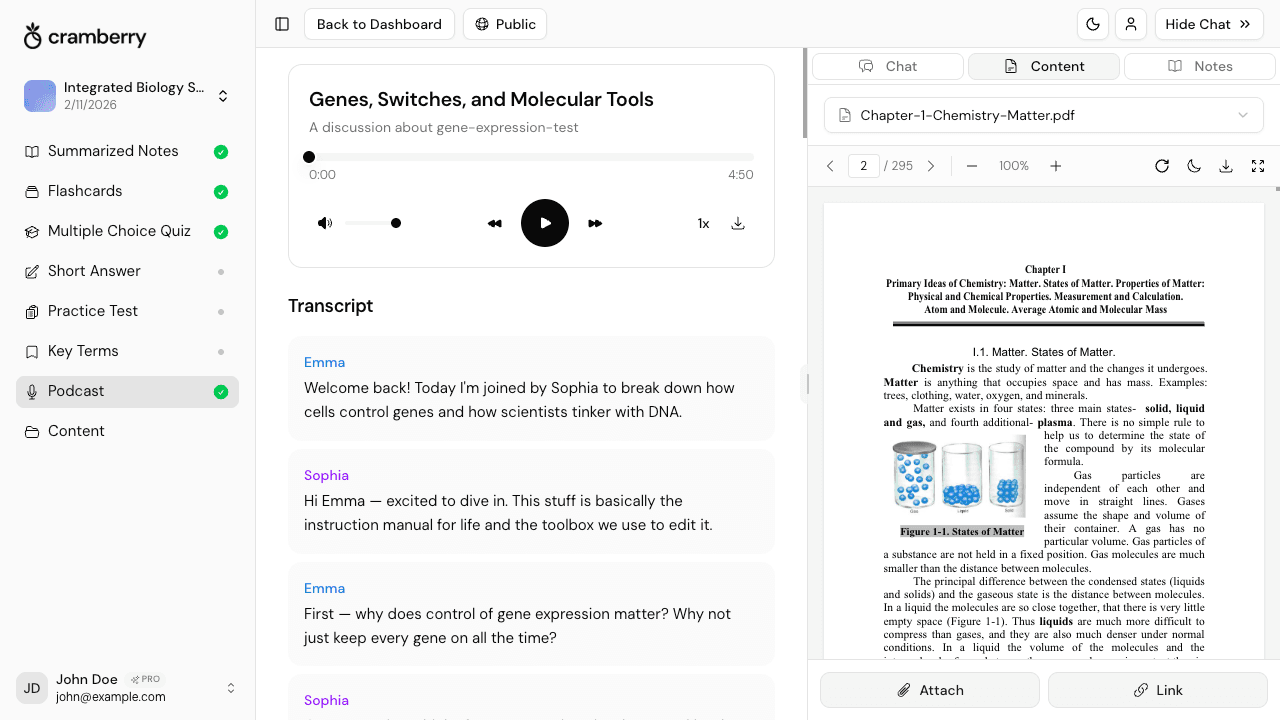
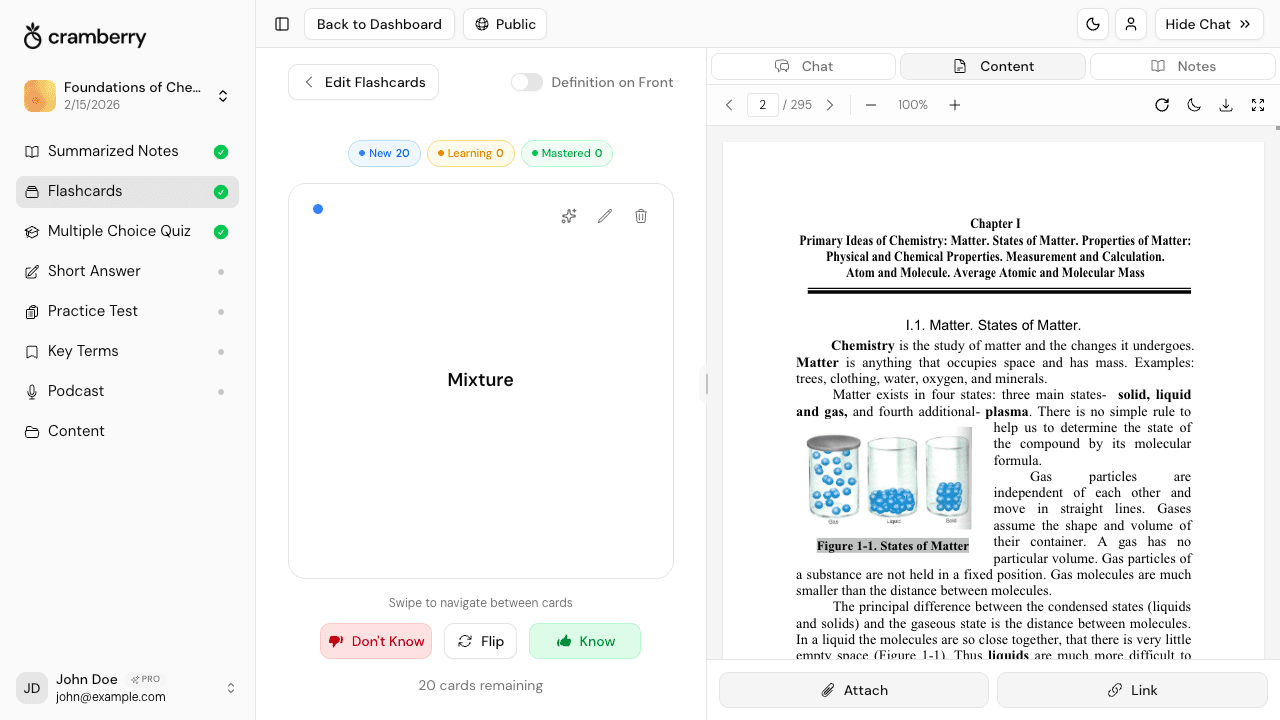
Cramberry StudySet showing six study formats generated from a single upload — notes, flashcards, quiz, practice test, key terms, and podcast

One Upload Powers Six Study Formats

Upload your syllabus, lecture recording, or textbook chapter once. Cramberry extracts the content and uses it to generate every format you need — notes, flashcards, quizzes, short-answer questions, a full practice test, and even a conversational AI podcast you can listen to while commuting.

  • Text is extracted once and reused across every generation — no re-uploading
  • Generate one format now, add others later without starting over
  • All six formats live in the same StudySet, organized and ready to go
Cramberry AI Chat Tutor panel answering a student's question about uploaded course material in real time

An AI Tutor Who Actually Knows Your Material

Unlike a generic chatbot, Cramberry's AI tutor is context-aware — it has read everything you uploaded. Ask it to clarify a confusing concept, quiz you on a topic, explain the difference between two ideas, or help you understand why you got a practice question wrong.

  • Context-aware answers based on your specific uploaded content
  • Ask questions, get explanations, and request on-the-spot mini-quizzes
  • Lives in the right panel of your StudySet — no separate tab needed
Cramberry input options showing PDF, PowerPoint, YouTube, image, web link, and audio upload types

Every Input Format Students Actually Use

You shouldn't have to convert your files before studying them. Cramberry accepts PDFs, PowerPoint decks, Word documents, YouTube lecture links, images of handwritten notes, recorded audio, web articles, and plain text. Upload whatever you have — Cramberry handles the rest.

  • Supports PDFs, slides, docs, images, YouTube links, audio, and web articles
  • AI transcribes audio and video, then studies the transcript just like text
  • Snap a photo of handwritten notes and turn them into a full flashcard deck
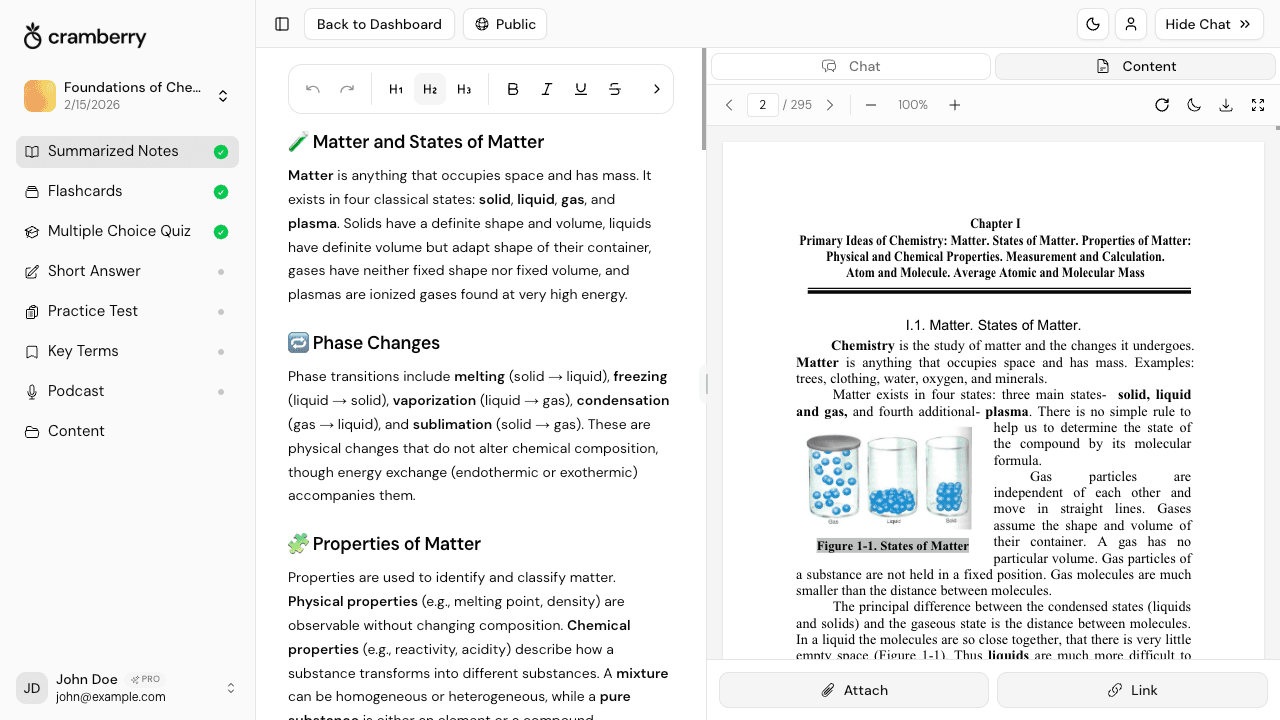
Cramberry StudySet layout showing left sidebar with content types, main panel with active content, and right AI tutor panel

Your Entire Subject in One Organized StudySet

Every piece of content you add — and everything the AI generates — lives in a single StudySet for that topic. The left sidebar shows your content types, the main panel shows whatever you're working on, and the right panel keeps your AI tutor and source viewer always within reach. No hunting across tabs. No lost notes.

  • StudySets keep notes, flashcards, quizzes, and chat in one organized view
  • AI only adds content — it never overwrites or deletes what you have
  • Switch between formats in a click; your progress is always saved

From Raw Material to Full Study Session in Minutes

Three steps. No manual formatting. No switching apps.

1

Add Your Content

Upload a PDF, paste a YouTube link, drop in a PowerPoint, or type out your notes. Cramberry accepts anything — you don't need to reformat it first.

2

AI Generates Everything

In seconds, Cramberry turns your content into organized notes, a flashcard deck, a multiple-choice quiz, short-answer questions, a practice test, and an audio podcast.

3

Study and Ask Questions

Work through your flashcards, tackle the practice test, and fire questions at the AI tutor whenever you hit something you don't understand — all without leaving the page.

Built on How Memory Actually Works

The most time-efficient way to study isn't reading your notes twice — it's retrieval practice. Pulling information out of your memory (via flashcards, quizzes, and practice tests) reinforces learning far more durably than passive review. Cramberry builds this into every StudySet automatically.

Research in cognitive science consistently shows that interleaving multiple formats — switching between reading notes, doing flashcards, and taking quizzes on the same material — strengthens long-term retention and helps you apply what you know, not just recognize it.

Based on well-established principles from cognitive psychology: retrieval practice (the testing effect), interleaved practice, and active recall — all widely supported in the learning science literature.

Upload Whatever You Already Have

Cramberry meets you where your content actually lives — no conversion, no reformatting required.

PDF Documents

Textbooks, papers, and lecture slides

PowerPoint & Slides

Class decks and presentation files

YouTube Videos

Lectures, tutorials, and talks

Images & Photos

Handwritten notes and diagrams

Web Links & Articles

Readings, research, and news

Text & Audio

Paste text or upload recordings

Built for Every Kind of Student

Whether you're cramming between shifts or deep in dissertation mode, Cramberry adapts to how and when you study.

The Overloaded Undergrad

You have five courses, a part-time job, and not enough hours. Upload your lecture slides Sunday evening and have a full set of notes, flashcards, and a quiz ready before Monday's class. No manual work, no late-night formatting sessions.

The Grad Student

You're reading dense papers and synthesizing arguments across dozens of sources. Drop in PDFs, generate structured notes for each, and use the AI tutor to pressure-test your understanding — without having to explain the background from scratch every time.

The Working Student

Your study time comes in 20-minute pockets between meetings. Create a StudySet on your lunch break, then do flashcards on your phone and listen to the AI podcast on your commute. One upload keeps every format synced.

The STEM & Pre-Med Student

You need to memorize terminology, understand mechanisms, and apply knowledge under exam pressure. Let Cramberry generate key terms, flashcards, and multiple-choice practice tests from your textbook chapters so you spend your time testing — not formatting.

The Exam Crammer

You have 48 hours and a lot of ground to cover. Upload everything for a unit at once, generate a comprehensive practice test, and use the AI tutor to quickly fill the gaps you identify. It's the fastest path from 'haven't started' to 'actually prepared.'

The Certificate Candidate

You're studying for a professional certification alongside a full-time role. Feed Cramberry the official study guide and prep materials, then drill with flashcards and practice tests on your schedule — no instructor required, no cohort to keep pace with.

Every Study Format, Covered

Cramberry generates all of these from the same upload — use them separately or together in one StudySet.

Simple pricing

Start free, upgrade when ready.

Free

Perfect for getting started

$0

forever free

  • 5 AI generations total
  • 10 AI chat messages per month
  • 1 podcast generation
  • 1 hour recording (lifetime)
  • Unlimited study sets
  • Courses, notes, flashcards, and quizzes
Get started
Cram mode

Weekly

Perfect for cramming or finals week

$4.99

per week

  • Everything in Pro, billed weekly
  • Unlimited AI generations
  • Unlimited AI chat messages
  • Cancel anytime — no commitment
  • Ideal for exam crunch periods
  • Priority support
Try Weekly
Most popular

Pro

For serious students

$14.99

per month

  • Unlimited AI generations
  • Unlimited AI chat messages
  • 10 podcasts per month
  • 2 hrs/day recording (30 hrs/month)
  • Unlimited study sets
  • Courses, notes, flashcards, and quizzes
  • Short answer and practice tests
  • Key terms glossary
  • Priority support
Get Started

FAQ

Frequently Asked Questions

Everything you need to know.

Stop Managing Apps. Start Studying Smarter.

Join students who have replaced their entire study app stack with one upload. Get notes, flashcards, quizzes, practice tests, and an AI tutor — all in one place, starting for free.

Get started free